ReadyPrint | How to update your payment method
Applies To
- Software/Service: ReadyPrint.
Solution
Follow the instructions below to update your payment method:
-
Log in to the ReadyPrint portal.
-
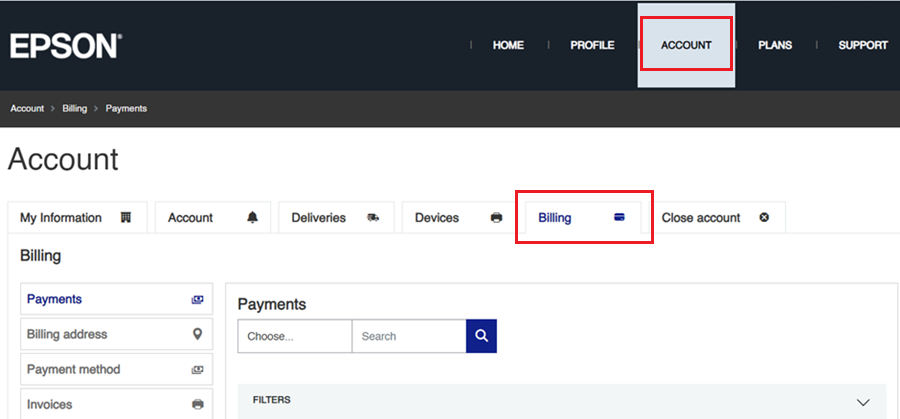
Click on the Account tab at the top of the webpage, followed by clicking on the Billing tab.
-
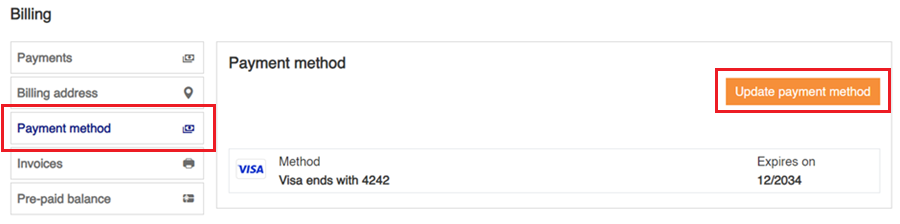
Click the Payment method option in the side menu and click the Update payment method button.
-
Select your payment type and enter your details and click the Save button when done.

Note: Accepted card types are Visa, Mastercard, American Express, Discover, Diners Club, and UnionPay.