ReadyPrint | Where can I see my monthly invoices?
Applies To
- Software/Service: ReadyPrint.
Description
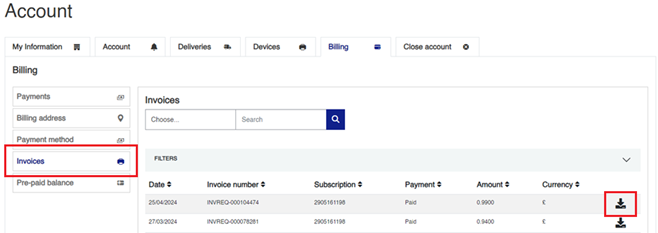
You can view and download copies of your monthly invoices in the ReadyPrint portal.
Solution
- Log in to the Epson ReadyPrint portal.
-
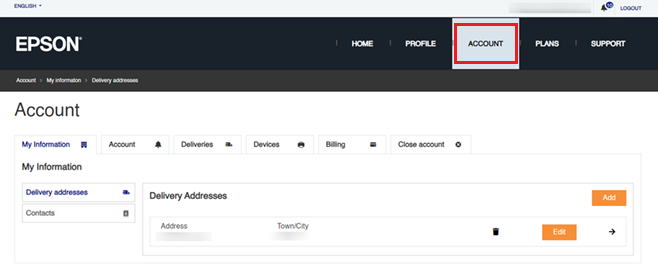
Click the Account tab at the top of the home page.
-
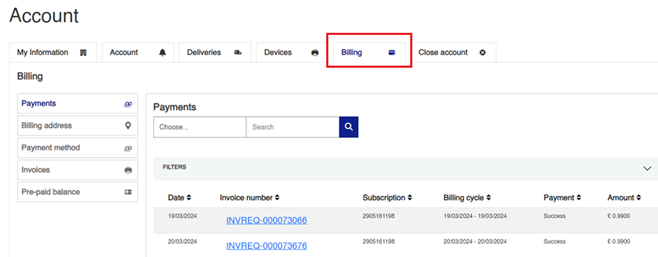
Click Billing — a list of your invoices is shown.
-
Click Invoices for further details, then click the download button next to the relevant invoice to download a copy.