ReadyPrint | How to change your Plan
Applies To
- Software/Service: ReadyPrint.
Solution
If you’re looking to change your ReadyPrint plan, follow these steps:
-
Log in to the Epson ReadyPrint portal using your registered username and password. These are the details you used when originally setting up your ReadyPrint account.
-
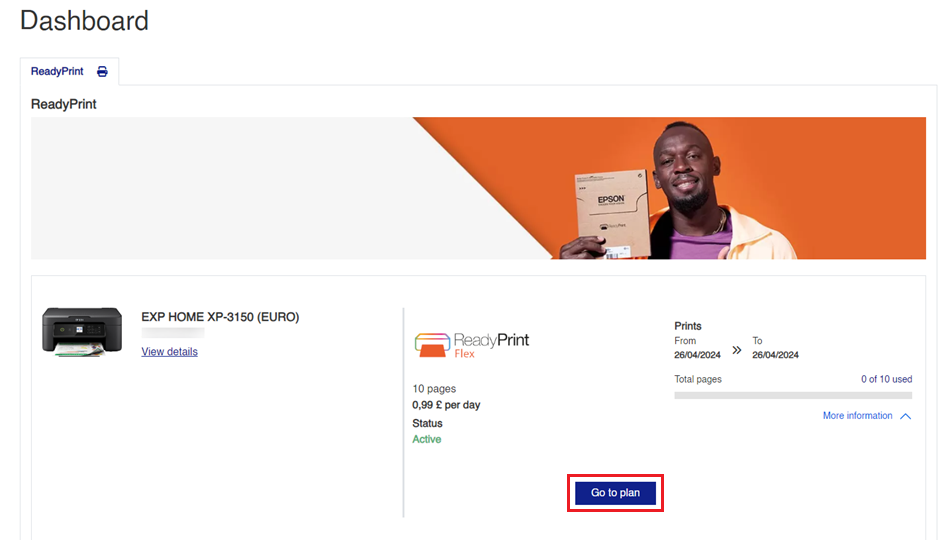
Navigate to Plan: On the home screen, click on the Go to plan button.
-
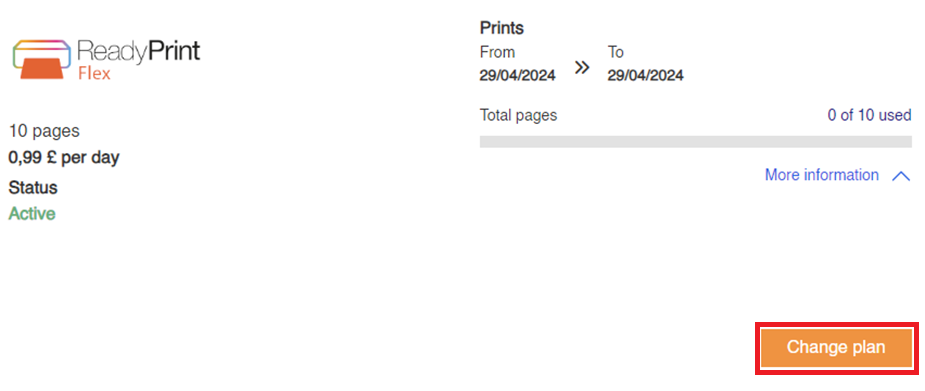
Change Your Plan: Next, click on the Change Plan button.
-
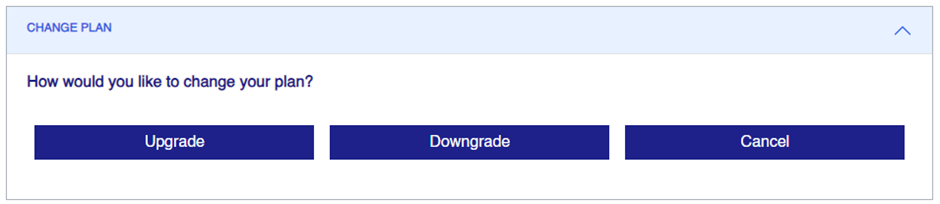
Upgrade or Downgrade: You’ll now be able to choose whether to upgrade or downgrade your plan. Select the button that suits your needs.
-
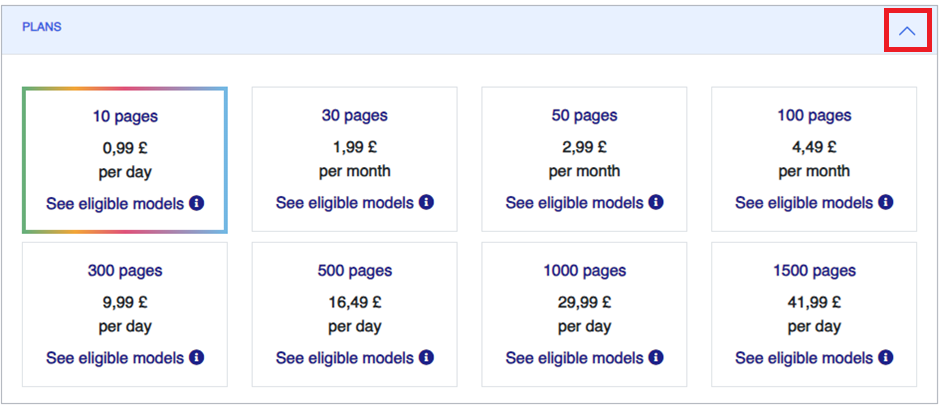
Explore Available Plans: If you’re curious about other plans, click on the Plans header to see what options are available.
Note: Changing your plan may have associated charges — review the details shown before confirming.