How to use Epson.sn
Applies To
- Use this if: You can't find your product's drivers, can't find your product's user guide, or are generally looking for product support.
-
Related Articles:
- KA-02031 (finding your product's user guide specifically)
Description
Epson.sn is a quick way to reach setup, support, and documentation for your specific product without navigating the main Epson website.
Solution
-
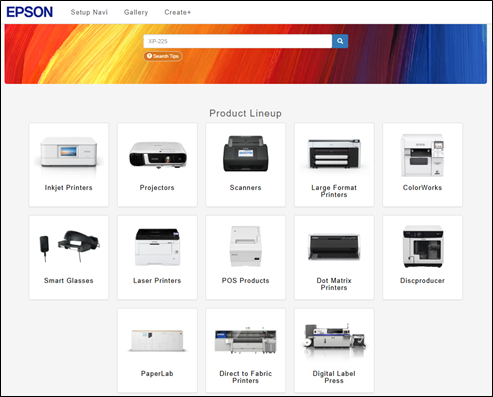
In your web browser, navigate to epson.sn.
-
Using the search bar, search for your product's name — for example, "Epson EcoTank ET-4950U."

-
From the product support page, you can access:
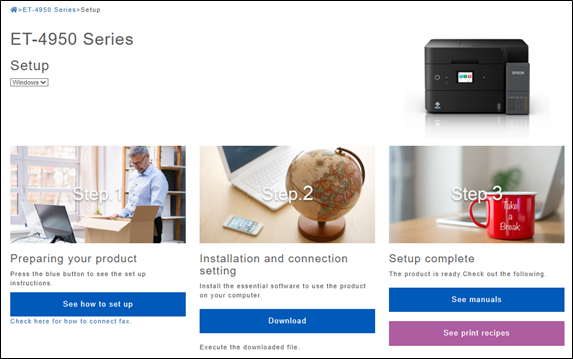
- Setup: support for installing the product. If you need instructions for a different operating system, use the dropdown menu to select it.
- Support: troubleshooting information in video or text format — select the relevant category to see more.
-
Gallery: printing templates for your product.

-
The setup section provides support on installing the product, if the information is needed for a different operating system this can be selected using the dropdown highlighted below.
-
The support section provides information in video or text format, choose the required category to see more information.

-
Click User's Guide (HTML) to open a searchable online version of your product's user guide — see KA-02031 for more detail on this.
