How can I get Document Capture Pro Server (DCPS) to work in a VMware environment?

Applies To

  • Operating Systems: Windows Server 2012, 2012 R2, 2016, 2019, 2022, 2025
  • Hardware: WorkForce DS-5500N, DS-6500N, DS-7500N, DS-50000N, DS-60000N, DS-70000N
  • Related Articles:
    • KA-01614 (installing Document Capture Pro / Document Capture Pro Server)
    • KA-01612 (scanning to a folder with DCPS)

Description

To use Document Capture Pro Server in a VMware environment, the VMware network adapter must be set to use DCPS.

Solution

  1. Power on your Virtual Windows Server.
  2. In VMware, click VM, then click Settings.
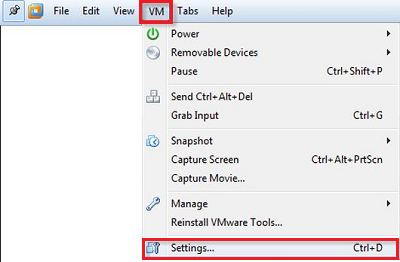
    VMware VM menu with Settings option
  3. On the Hardware tab, select Network Adapter.
  4. Tick Bridged: Connected directly to the physical network, then click OK.
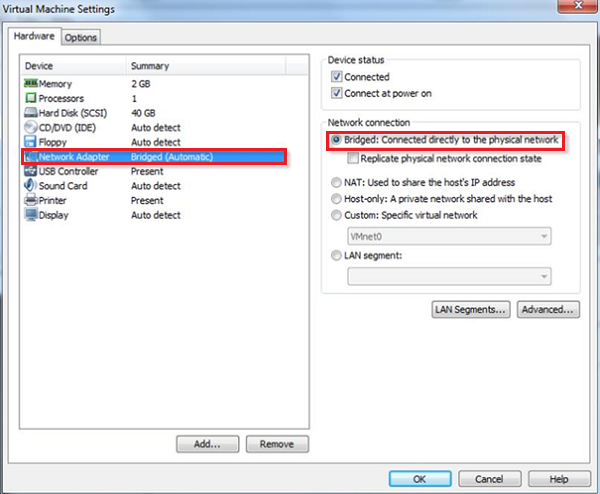
    VMware Network Adapter settings with Bridged option selected