Scanner Installation Issue on ARM64 Devices
Relates to:
ARM64-based PCs
Explanation:
If you’re trying to install Epson Scan drivers on a PC with an ARM64 processor, the installation may fail and display an error message like the one shown below:
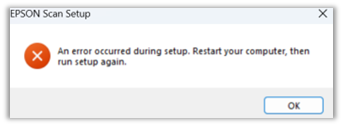
In some cases, the installation might appear successful when using a USB connection, but the scanner may still not be detected by your computer and won’t function as expected.
However, the scanner should work correctly when connected via a network.
Possible Workaround
Instead of using the Epson installer, try setting up the printer using the default driver provided by the operating system.
What’s Being Done
Epson is updating the installation package to include support for ARM64 drivers. This should resolve the issue in future installations.